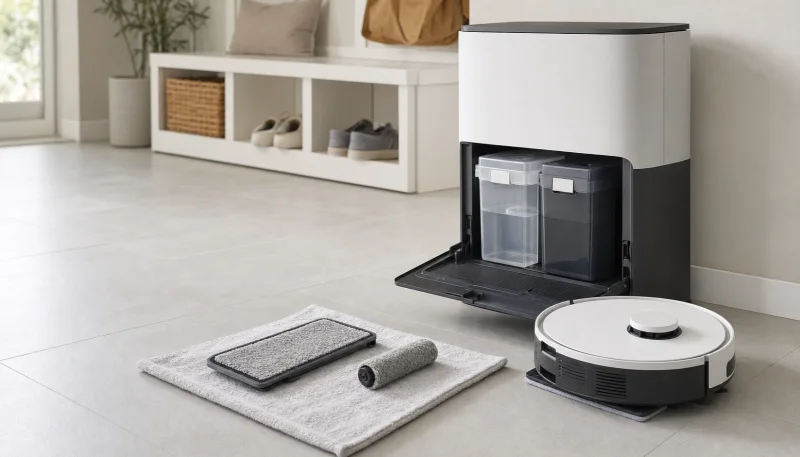
Quick answer: On a Roborock dock with removable water tanks, the clean water tank is the one you fill; the dirty water tank collects wastewater and is the one you empty. Identify them using the labels and diagram for your exact dock. Do not rely on a universal “left tank” or “right tank” rule, tank color, or whether the water looks clear.
The shallow tray where the dock washes the mops is a third part, sometimes called the cleaning tank. That name does not mean it is the clean-water reservoir.
- 1Clean water tankYou fill this reservoir with fresh water.
- 2Mop washing & trayThe dock washes residue from the pads.
- 3Dirty water tankYou empty the collected wastewater.
Which side is the clean water tank?
There is no left/right instruction in this guide that applies to every Roborock dock. Your viewing direction, dock design and package matter. Use this identification sequence:
- Find the exact model in the app or on the product label, including the dock version.
- Open that model’s manual and find the dock overview diagram.
- Match the callout for Clean Water Tank to the physical container. Repeat for Dirty Water Tank before filling or emptying anything.
- If the diagram does not match your dock, check the region, model suffix and whether you have a refill-and-drain version. Do not force a tank into a bay that does not match.
For a concrete example, the Qrevo Master manual labels the dirty reservoir A10-9, the clean reservoir A10-10, and the cleaning tank module A10-13. Those numbers belong to that manual, not every Qrevo.
Clean tank, dirty tank, wash tray or dustbin?
| Part | Its job | What you do |
|---|---|---|
| Clean water reservoir | Supplies fresh water for the dock’s washing/refilling system | Fill according to the model instructions |
| Dirty water reservoir | Receives wastewater from mop washing | Empty and clean it |
| Cleaning tank / wash tray | Holds the mop-washing area and collects residue before drainage | Clean its removable parts as directed |
| Robot’s onboard mop tank | Supplies water during mopping | Refill or service only as the robot manual allows |
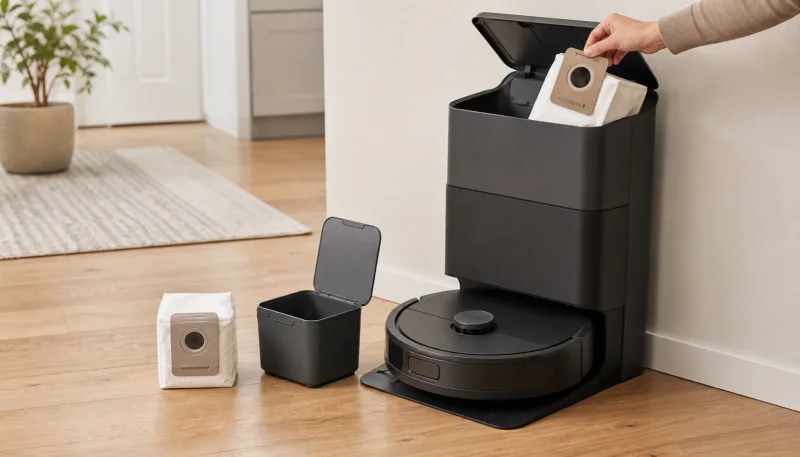
| Dustbin / dust bag | Collects dry vacuum debris | Empty or replace it; do not fill it with water |
Water that looks clear is not proof that a reservoir is the clean tank. A rinsed waste tank can look clean, and fresh water can become cloudy after standing. Identify the component by its label and function.
Does every Roborock have a dirty water tank?
No. The dock package matters as much as the robot name.
- Self-washing dock with removable reservoirs: identify both dock tanks in its manual. The waste reservoir receives the water used to wash the mop.
- Basic charging dock or auto-empty-only dock: a mop-equipped robot can have an onboard fresh-water tank without a dock wastewater reservoir. A dust bag is not a dirty-water tank.
- Refill-and-drain system: use that system’s own plumbing and maintenance instructions; a guide for removable reservoirs may not apply.
For example, the standard S7 manual shows the robot’s water tank and mop cloth. That onboard tank is not the waste reservoir described in our dock-cleaning guide. Do not assume an S7, S7 MaxV Ultra and a later Ultra dock share the same parts.
What goes in the clean water tank?
Use the water and cleaner instructions for the exact model. The Qrevo Plus manual, section C1, calls for cold water and gives its filling limit. Do not treat a dock’s hot mop-washing feature as permission to pour hot water into a removable reservoir.
If you use cleaning solution, check whether the dock uses premixed water or a separate detergent dispenser. Do not guess the compartment or dilution. Our Roborock cleaning-solution guide explains that distinction and links to the manufacturer’s guidance.
Never transfer collected wastewater into the clean tank. If you filled the wrong reservoir, pause the machine and empty it before proceeding; ask support if an unsuitable chemical entered the water path.
What goes in the dirty water tank?
Normally, it starts empty and collects used mop-washing water. Do not prefill it with fresh water for a cleaning run, and do not pour floor-cleaning concentrate into it to cover a smell.
A model-approved dirty-water deodorization module is a separate accessory with its own fit and placement instructions. It is not interchangeable with detergent or an unverified clean-tank pod.
To maintain the reservoir, follow how to clean a Roborock dirty water tank. Keep the tank-identification task separate from dismantling valves, floats or dock plumbing.
Which part should you clean when it smells?
- Odor when you open the waste reservoir: start with the dirty-tank cleaning steps.
- Residue or standing water in the shallow tray: check the tray/filter instructions for your dock. “Cleaning tank” in an error message can refer to this part.
- Musty odor during mopping: inspect the pads and wet components using the mopping-smell guide.
- You cannot identify the source: use the Roborock smell diagnosis guide before buying additives or replacement tanks.
Frequently Asked Questions
Which Roborock tank do I fill with water?
Fill the container identified as the clean water tank in your exact dock or robot manual. The dirty water tank collects wastewater and is emptied. Do not identify tanks by water color alone.
Is the Roborock clean water tank on the left or right?
Check the diagram for your exact dock and viewing direction. This guide does not use a universal left/right rule. Match the clean-water and dirty-water labels before filling either container.
Is the cleaning tank the same as the clean water tank?
Not necessarily. In the Qrevo Master manual, the cleaning tank module is the mop-washing tray assembly, separate from the clean water reservoir. Read the model's component labels carefully.
Does an auto-empty Roborock dock have a dirty water tank?
Auto-emptying refers to dry vacuum debris. It does not by itself mean the dock washes mops or collects wastewater. Check whether your exact dock has a self-washing system and removable water reservoirs.
Based on the linked Roborock manuals, checked October 19, 2026. The diagram illustrates the flow of water, not the physical layout of a particular model.