Disclosure: Some of the links on this website are affiliate links. It's possible for me to receive a commission at no extra cost to you.
Quick answer: A Roomba Combo AutoWash dock’s dirty water tank smells when used pad-wash water sits between jobs. Empty and rinse the grey/dirty tank, clean the pad-washing basin and roller, and let the mop pad finish drying. Use only the cleaning solution iRobot approves for your model—iRobot explicitly warns against water plus vinegar.
Does your Roomba Combo have a dirty water tank?
Not every Roomba Combo collects wastewater.
| Roomba setup | Dirty water tank? |
|---|---|
| Combo 10 Max with AutoWash Dock | Yes, in the dock |
| Plus 400/500 and Max 700 Combo with AutoWash Dock | Yes, grey/dirty tank in the dock |
| Combo j7+, j9+, i5/i8, Essential and similar non-washing docks | No dock wastewater tank; check the mop pad and onboard wet bin |
If your dock only refills or auto-empties dry debris, do not search for a wastewater tank that is not there.
1. Empty and rinse the dirty dock tank
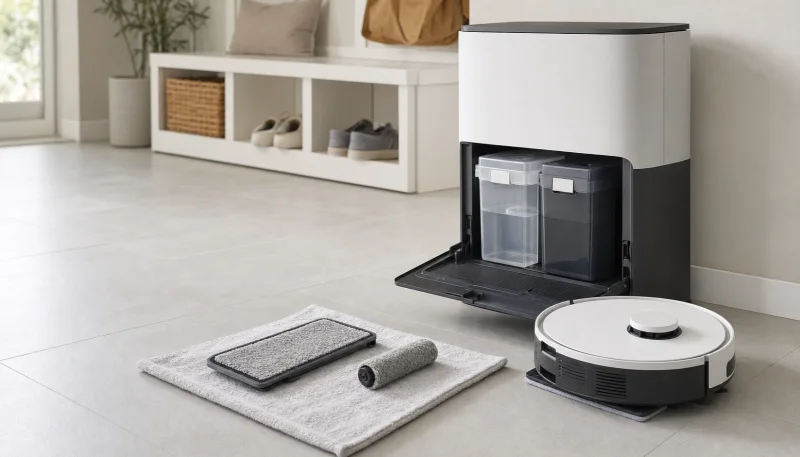
Open the dock, remove the grey/dirty tank, unlatch its lid, and empty it. Rinse with clean, cool water and inspect the corners, lid, seal, and float for residue.
Do this whenever odor starts and after especially dirty mopping jobs. iRobot lists the dirty tank as an “empty and rinse as needed” maintenance item; smell is a clear sign that it is needed.
2. Clean the pad-washing basin
The AutoWash dock basin and liquid-overflow basin can hold a thin layer of floor residue after the tank is empty. Unplug the dock, remove the serviceable parts shown in the care guide, and clean them when visibly dirty or when the app prompts.
Keep liquid away from electrical contacts and fixed seams. Do not spray deodorizer into the dock.
3. Clean the pad-washing roller
Hair and grit can stay on the roller that scrubs the mop pad. Remove and clean it according to the model’s dock-care procedure, then reinstall it in the correct orientation.
iRobot lists the pad-washing roller as a monthly/when-dirty maintenance item and a replaceable part. If the roller itself stays sour after cleaning and drying, replace it.
4. Wash and dry the mop pad
If the odor follows the robot while mopping rather than appearing when the tank opens, remove the pad. Wash it as directed and let it air-dry fully.
Room humidity and initial pad wetness affect AutoWash drying time. iRobot recommends removing the pad to continue air-drying when it remains damp after the dock cycle.
Replace consumables that stay smelly after cleaning with model-matched iRobot AutoWash bags and mop pads.
5. Use an approved cleaning solution
iRobot maintains a model-by-model list of approved formulas. Depending on the Combo, that may include:
- iRobot StayClean mopping concentrate
- iRobot Braava Jet hard-floor cleaner
- Certain Bona formulas on specifically listed models
- Plain water
Approval is not transferable between models. For example, iRobot says Bona formulas are not approved for the Combo 10 Max AutoWash dock because excess suds can reach the floor.
Do not use water plus vinegar. iRobot says it can cause corrosion and void warranty coverage. Do not add bleach, essential oil, dish soap, or a generic robot-mop cleaner either.
6. Check the dust side separately
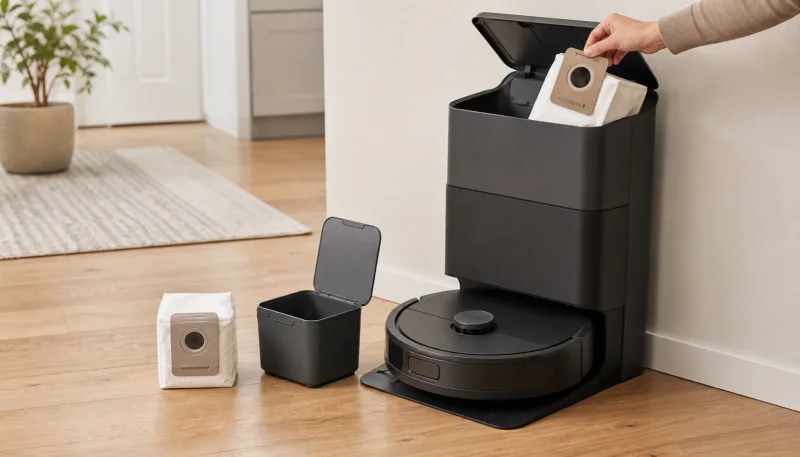
The AutoWash dock also empties dry debris. If the smell occurs only during the loud evacuation cycle, replace the dust bag and inspect the robot bin for moisture.
The wet and dry systems can smell at the same time, but they need separate fixes. See Robot Vacuum Smells When Emptying? Fix Auto-Empty Dock Odor.
Models without an AutoWash dirty tank
On a Combo j7+, j9+, i5/i8, Essential, or another robot with an onboard wet bin:
- Remove and empty leftover water after mopping.
- Rinse the removable water tank as the manual directs.
- Wash and dry the mop pad.
- Empty the dry bin and service its filter.
- Never allow liquid to reach a dry-only Clean Base bag.
Prevention schedule
| Part | When to act |
|---|---|
| Dirty/grey tank | Rinse as needed and whenever odor appears |
| Clean tank | Refresh water as needed |
| Mop pad | Wash as needed; air-dry if dock drying leaves it damp |
| Basin and overflow basin | When visibly dirty, monthly, or when prompted |
| Pad-washing roller | When visibly dirty, monthly, or when prompted |
| Dust bag | When prompted, damp, or smelly |
Frequently Asked Questions
Why does my Roomba Combo dirty water tank smell?
Used pad-wash water is sitting in the AutoWash dock's grey/dirty tank. Empty and rinse the tank, clean the washing basin and roller, and make sure the mop pad dries completely.
Where is the dirty water tank on a Roomba Combo?
Combo 10 Max and newer Plus 400/500 and Max 700 Combo AutoWash docks have separate clean and grey/dirty tanks. Many older Combo j-, i-, and Essential models do not collect wastewater in the dock.
Can I put vinegar in a Roomba Combo?
No. iRobot explicitly says not to use water plus vinegar because it can cause corrosion and void warranty coverage. Use plain water or only a solution approved for your exact Roomba model.
Why does my Roomba AutoWash dock smell even after I emptied the tank?
Residue can remain in the pad-washing basin, overflow basin, washing roller, or damp mop pad. Clean each serviceable part according to the dock-care instructions and allow the pad to dry.
Why does my Roomba smell only while auto-emptying?
That points to the dry-debris side rather than the wastewater tank. Replace the dust bag, inspect the robot bin and filter for damp material, and clear the evacuation ports.